Google Messages already gives you a bit of an advantage when handling links. For instance, it generates previews for URLs embedded in received messages. However, when it comes to copying those links, it forces you to copy the entire message and then clip out the link manually. This, as you would guess, is inconvenient, but Google could soon bring a fix. Along with this fix, Google could be working to improve how you send Smart Replies.
We’ve learned that Google is working on a new option to let you copy just the link embedded in a message. We were able to tweak the latest public beta version (20260113_01_RC00) of the Google Messages app to enable the feature and give you a preview.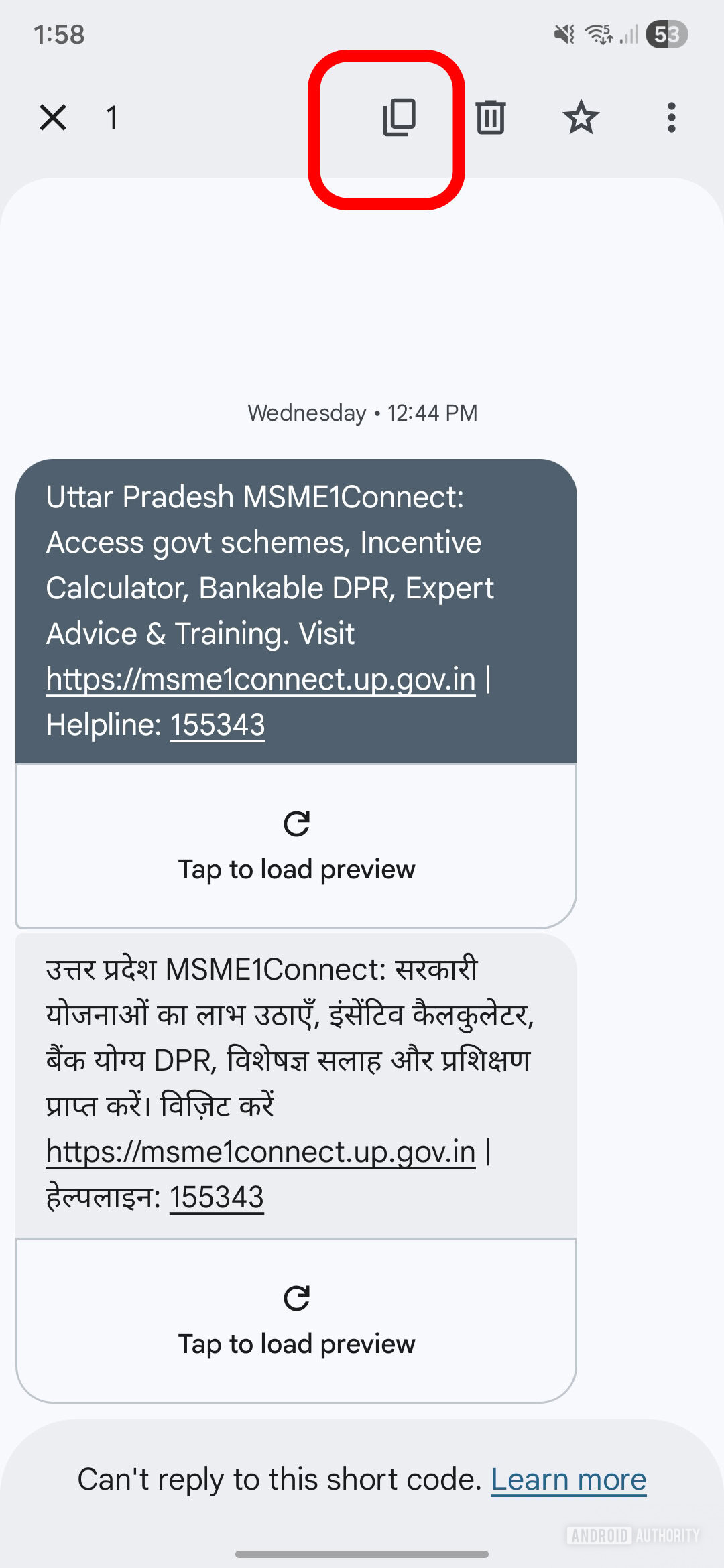 Copy button shows on top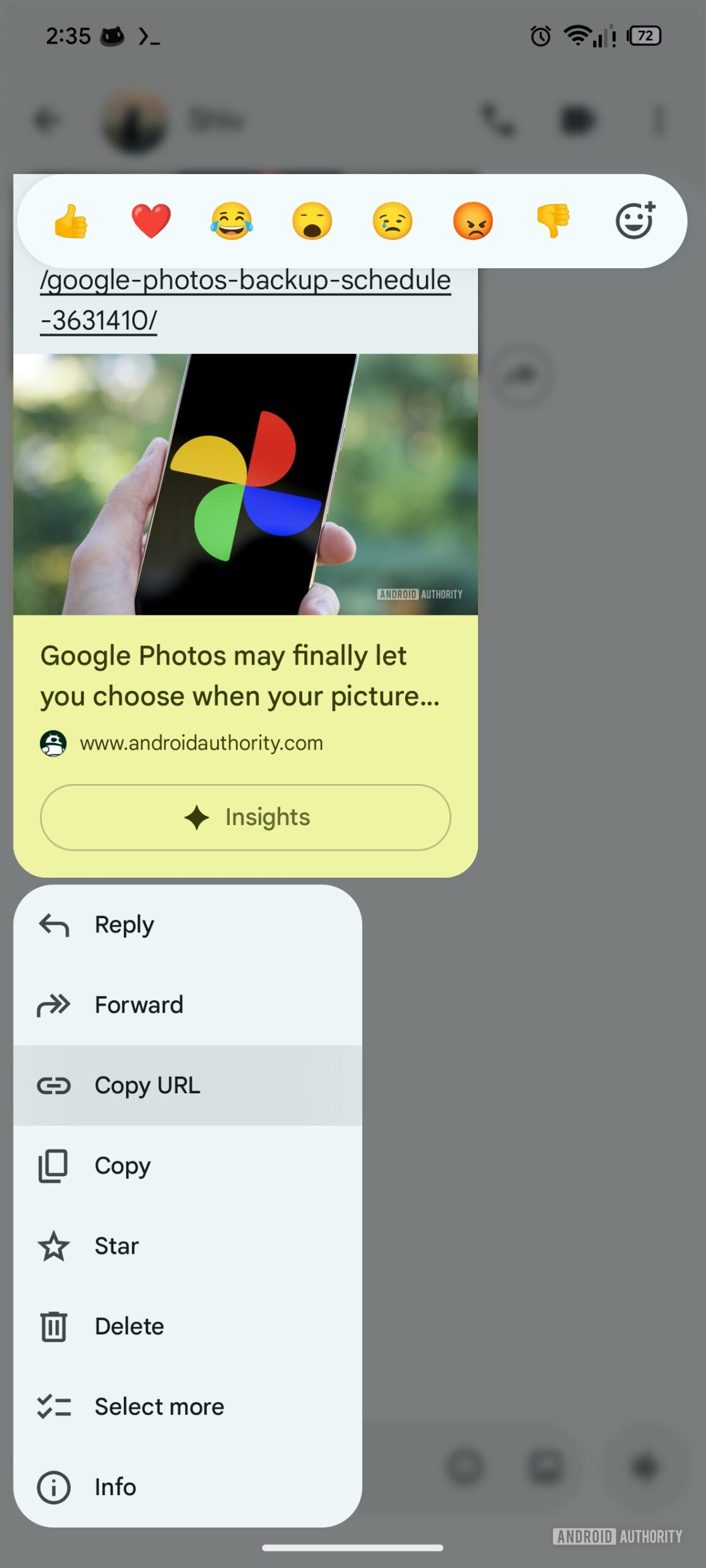
With this activated, long-pressing a message bubble shows two separate options for “Copy” and “Copy URL” in the menu that pops up. The latter lets you copy just the URL rather than the entire message.However, this facility appears to be limited to when there is a single link in the message. In case of multiple links in the same message, the menu does not show a Copy URL option, leaving you at the mercy of the standard Copy technique.
The toggle will appear in Message settings > Suggestions inside the Google Messages app. The toggle text alternates between “Tap to Send” and “Tap to Edit” when you enable or disable it.
The feature does not work at the moment, so we can’t confirm exactly how it works. But we hope to get it working in upcoming versions of the app.
Additionally, we suspect this setting might also apply to Magic Cue suggestions on Pixel 10 series or newer Google phones. Currently, Magic Cue suggestions are sent directly when you tap on them.
Source : android authority
Leave a Reply