
Vertical tabs have been one of the most requested additions to Chrome for years, and we first saw Google begin testing the layout in desktop Canary builds late last year. Now, the feature appears to be moving closer to wider release, with vertical tabs spotted in Chrome Beta for the first time.
The feature was detailed in an X post by user @bramus, who identifies himself as a Chrome Developer Relations Engineer at Google. According to the post, vertical tabs are available behind a flag in Chrome 145, the current Beta release. You can enable the feature by heading to chrome://flags/#vertical-tabs, setting it to Enabled, relaunching Chrome, and then right-clicking the tab bar to select “Move tabs to the side.” The post also includes the before-and-after screenshots below showing the new layout in action.
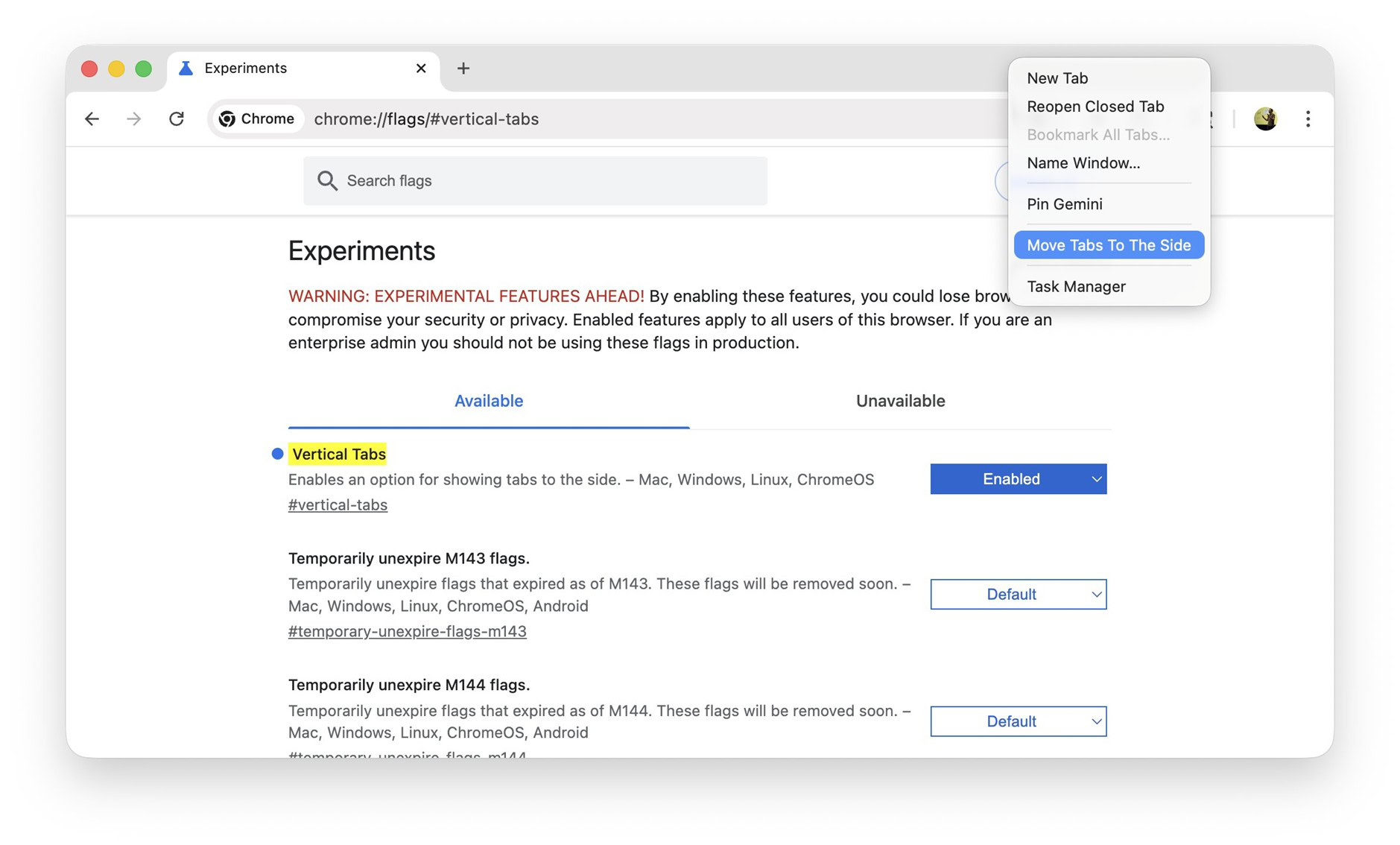
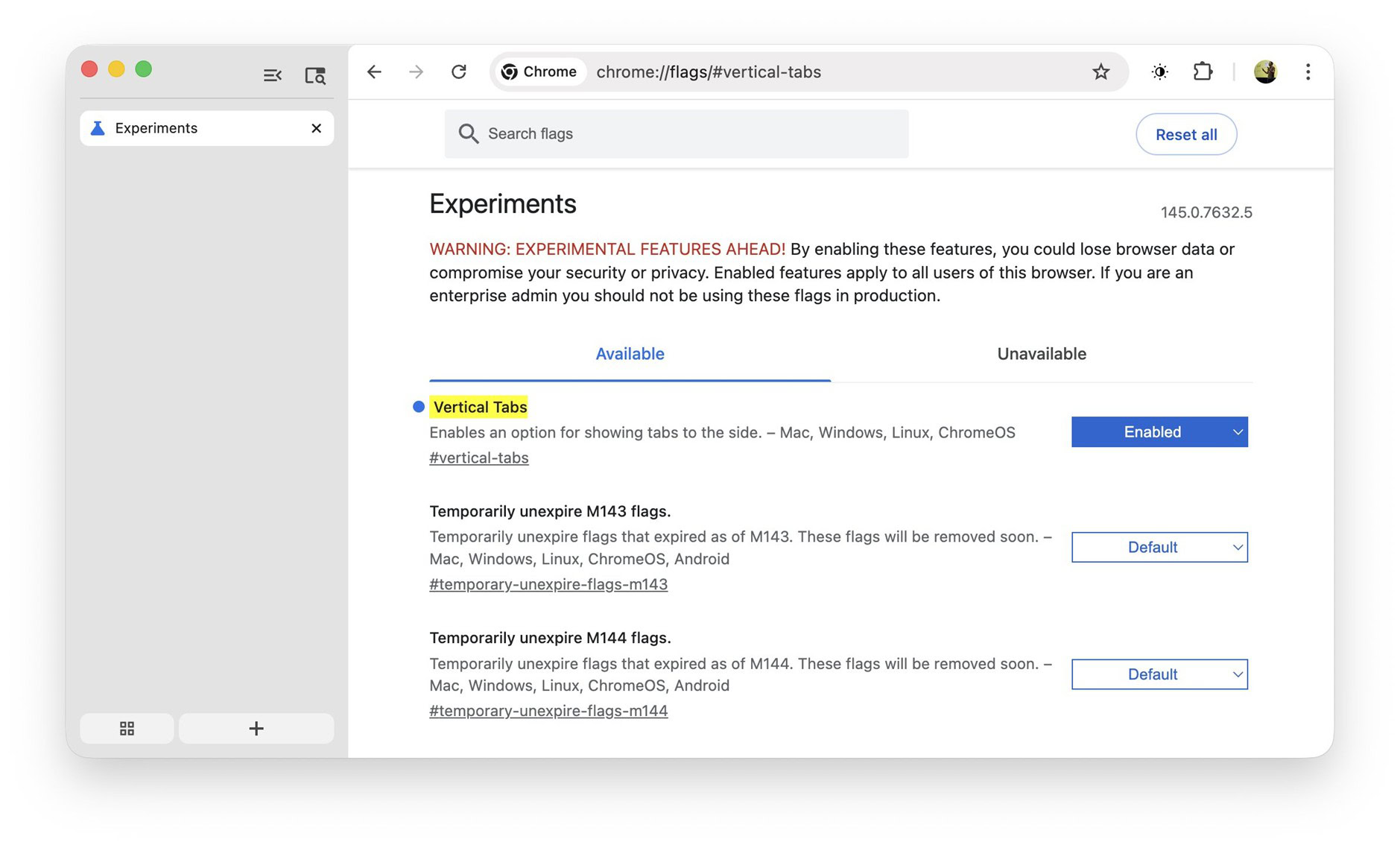
In a follow-up, the same source noted that the vertical tab sidebar can be resized or collapsed into a minimal state, and that it works properly with Tab Groups. You can see those screenshots below.


Separately, another X user shows that Chrome also exposes a Tab strip position option in Settings > Appearance, offering an alternative way to move tabs to the side.
Source : Android Authority
Leave a Reply